
| Platform/Product/Module: | ClubSpark – Booking Dashboard |
| Function: | Provide reporting about your booking data on a Dashboard available for Club Admins |
The Dashboard provides clubs with data related to all bookings at the venue using graphs or lists to identify the performance/growth of the club using the online booking system or/and gate access system.
1.
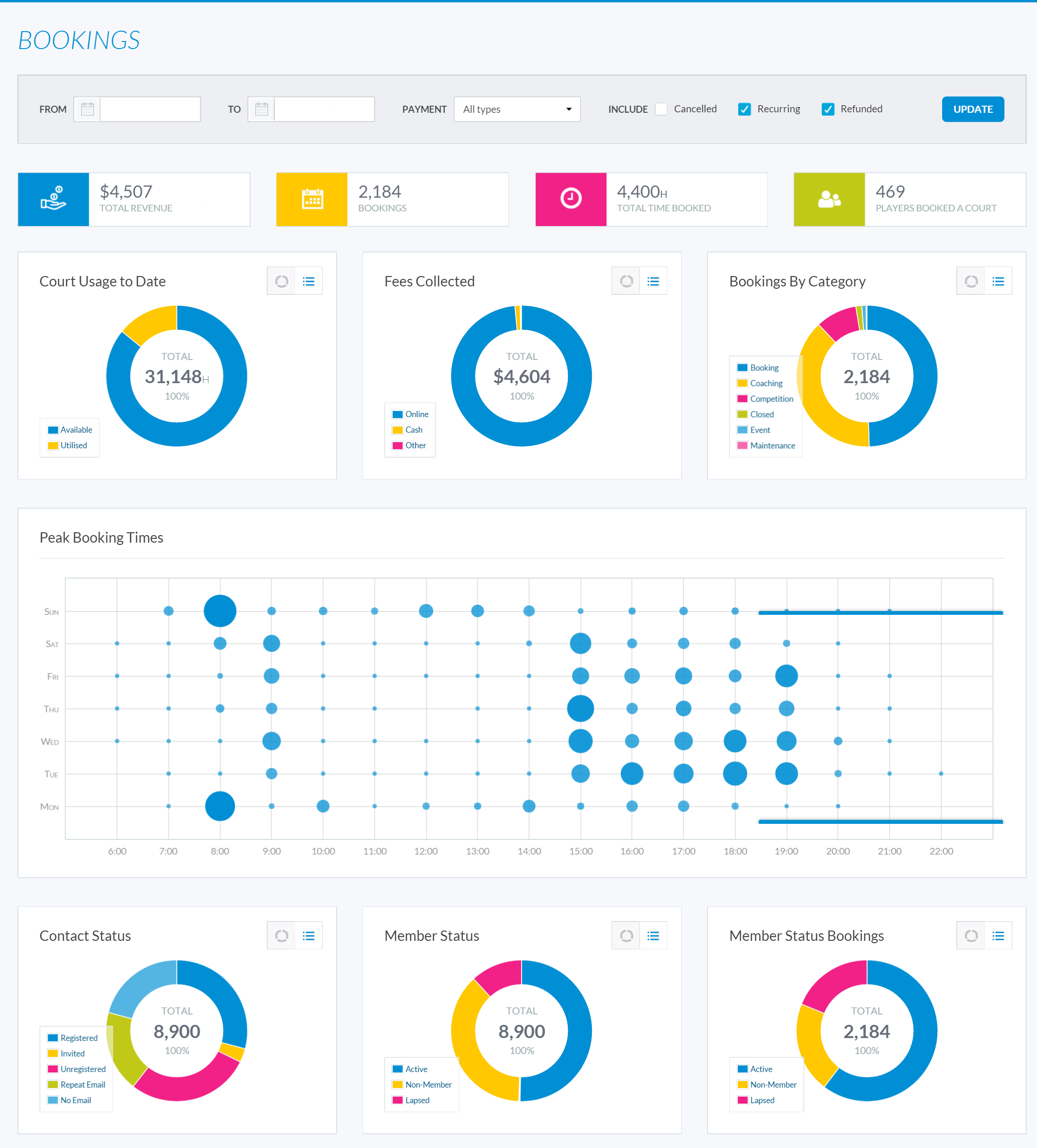
Use the filters at the top of the Dashboard page, then click ‘Update’ to display the required data as shown below:
Note:
You can filter by:
- Date
- Payment Type
- Cancelled/Recurring/Refunded booking
2.
Clubs will be able to access the following information:
Data Subject |
Description |
| Court Usage to Date | View the total hours of courts utilised vs courts available. |
| Fees Collected | View the total amount of fees collected, identified by payment options (Cash, Online, Cheque or Other). |
| Bookings By Category | View the total number of bookings made by category (Court Hire, Coaching, Event, etc.) |
| Peak Booking Times | A graph that displays the most popular time slots for court bookings. |
| Contact Status | View the total number of your club’s contacts by status |
| Member Status | View the total number of contacts by membership status (Active, Lapsed, Non-member). |
| Member Status Bookings | View the total number of court hire made by different members |
| Bookings | View the total number of court hire made and played |
| Revenue | View the total amount of revenue received from court hire. |
3.
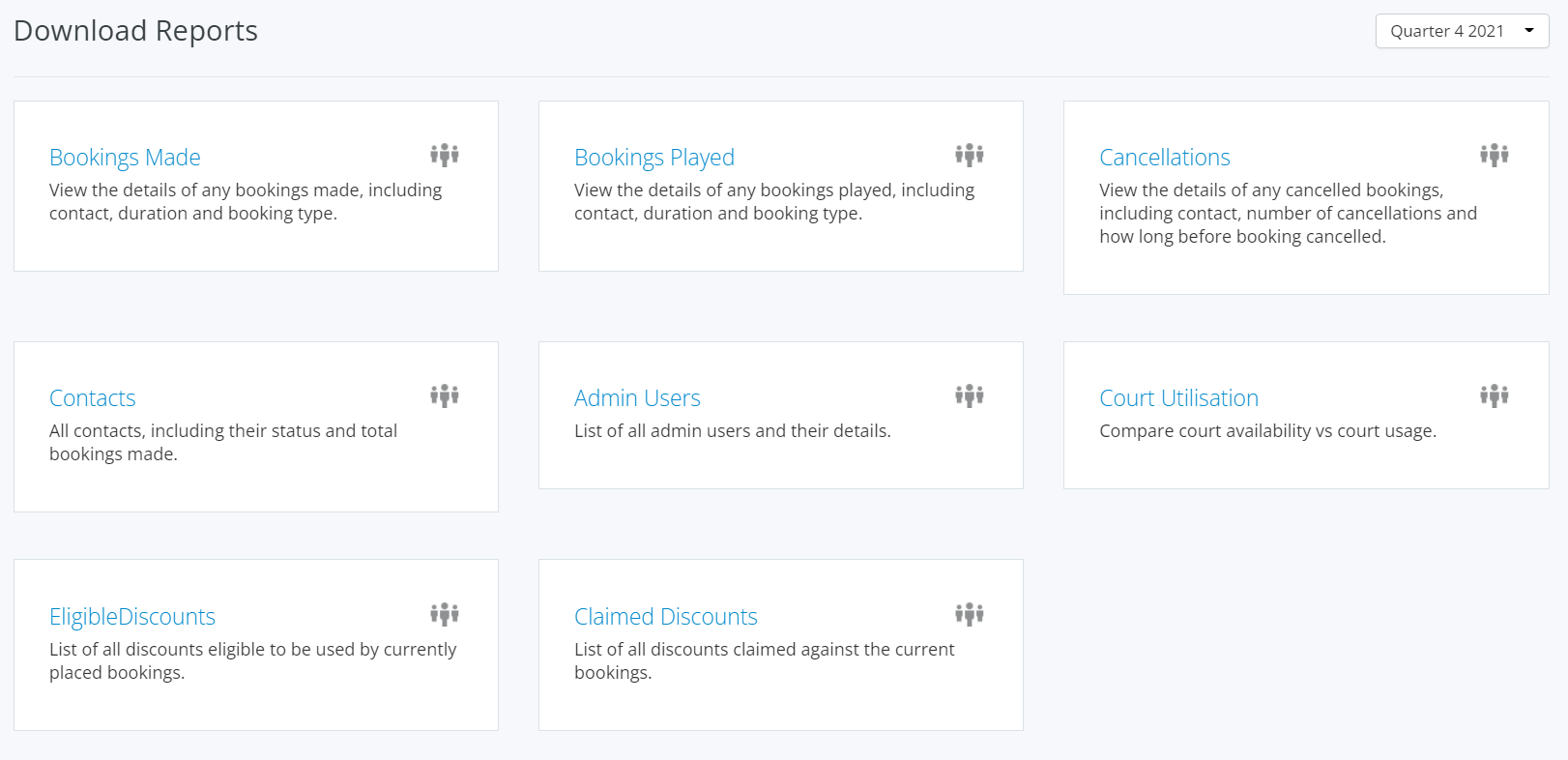
Within the Dashboard, clubs also have the ability to download an excel spreadsheet of the following quarterly reports:
Report |
Description |
| Bookings Made | View the details of any bookings made, including contact, duration and booking type. This includes cancelled bookings. |
| Bookings Played | View the details of any bookings played, including contact, duration and booking type. |
| Cancellations | View the details of any cancelled bookings, including contact, number of cancellations and how long before booking cancelled. |
| Contacts | All contacts, including their status and total bookings made. |
| Admin Users | List of all admin users and their details. |
| Court Utilisation | Compare court availability vs court usage. |